
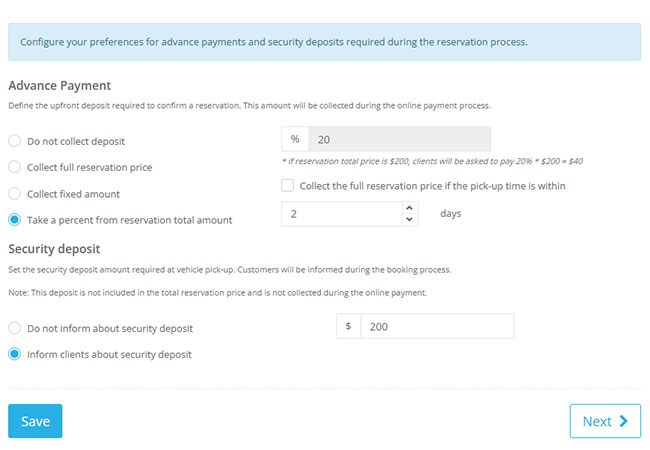
Set deposit and payment collection rules
Flexible Deposit Options
Choose no deposit, fixed amount, percentage advance or full payment at checkout based on your rental policy and risk model in your car rental software.
Balance Tracking
Track total amount, paid amount, deposit value and outstanding balance directly inside each reservation record in your car rental business software.
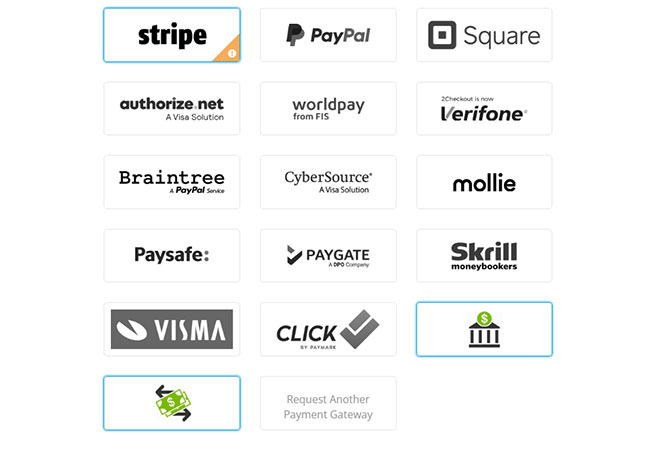
Accept online and offline payment methods
Payment Gateways
Connect payment providers so customers can complete secure online payments during checkout or from payment links in your car rental software.
Offline Payment Recording
Record cash, POS and bank transfer payments to keep reservation balances and financial tracking fully up to date in your car rental business software.
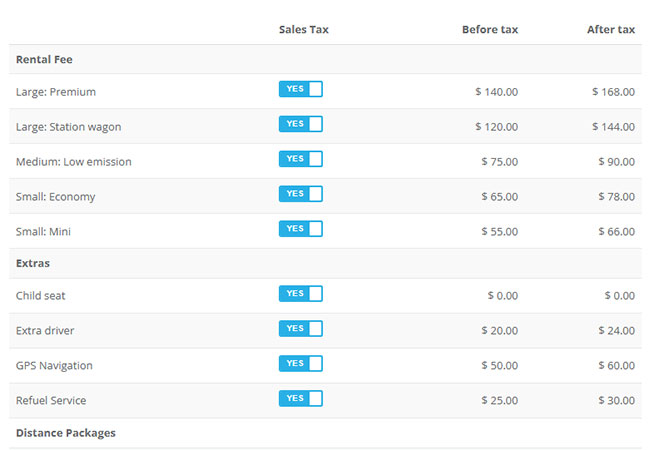
Configure taxes, fees and payable totals clearly
Tax Configuration
Set VAT and other taxes with clear display settings so customers see accurate tax amounts before confirming payments through your car rental software.
Additional Fees
Configure operational fees like location, out-of-hours or service charges and include them automatically in reservation totals with your car rental business software.
Handle payment requests, cards and post-booking charges
Payment Requests
Send payment requests by email with secure links or QR codes to collect unpaid balances and additional charges quickly using your car rental software.
Card-on-File Workflows
Use supported card-on-file features for charges, refunds and deposit handling where your payment gateway setup allows it in your car rental business software.
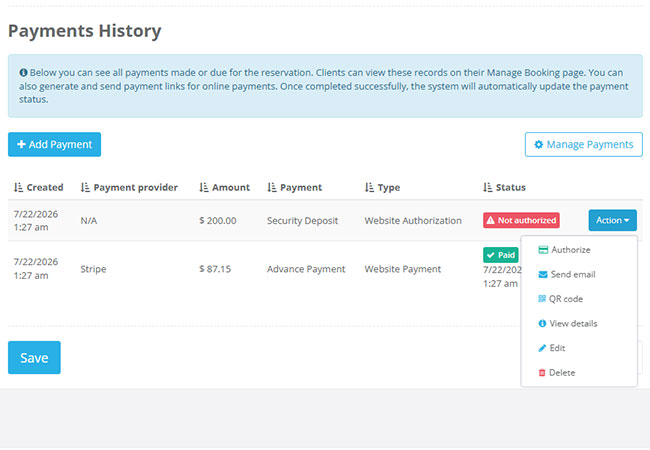
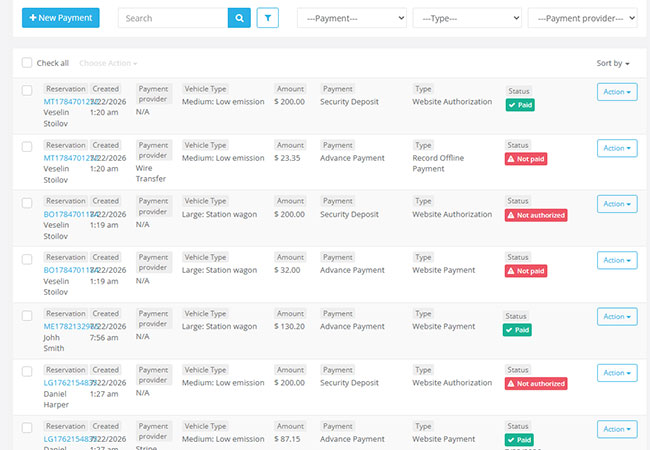
Keep complete payment records and reporting visibility
Payment History
Store all online and offline transactions in one timeline to maintain clean records for each reservation in your car rental software.
Method & Type Breakdown
Filter and review payments by method and payment type to support reconciliation and financial analysis workflows in your car rental business software.