-
Inventory management
Manage your vehicle inventory in one place. Add vehicles, organise makes and models, and keep your listings up to date.
-
Vehicle listings & details
Create detailed vehicle listings with specifications, equipment, photos, and descriptions to present each car professionally.
-
Leads & customer inquiries
Collect vehicle inquiries, offers, price alerts, and requests from your website and manage all leads from one dashboard.
-
Proposals, contracts & invoices
Handle the full sales workflow by creating proposals, managing contracts, and issuing invoices for completed deals.
-
Appointments & test drives
Schedule test drives, consultations, and other dealership activities using a simple built-in calendar.
-
Marketing & sales tools
Promote featured vehicles, create PDF brochures and window stickers, and send automated notifications to customers.

Inventory management
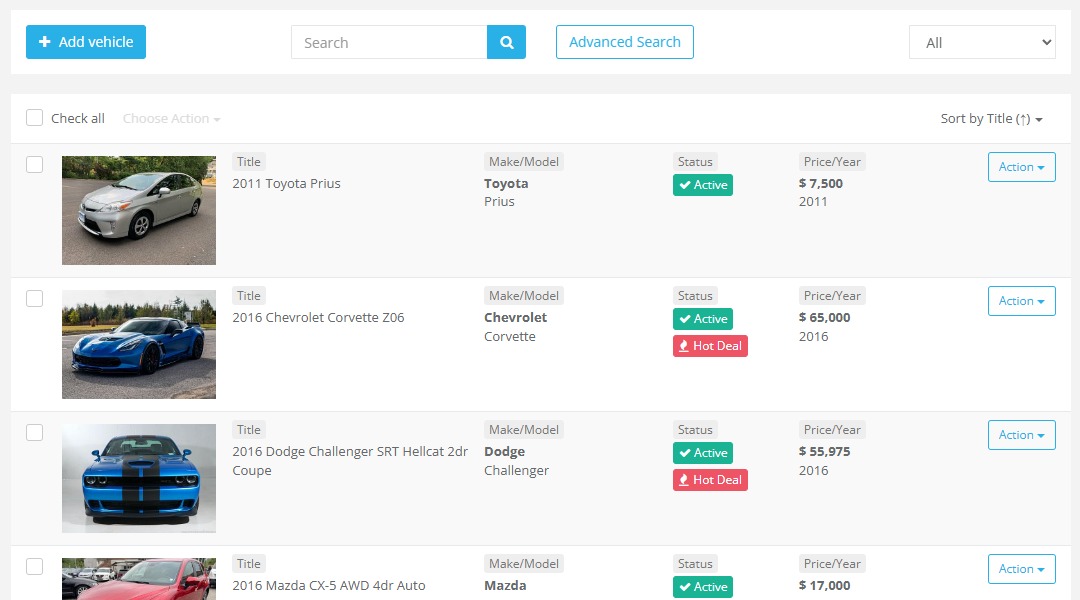
Manage your full vehicle inventory from one central place. Add new vehicles, update stock status, organise makes and models, assign sales managers, and keep every listing accurate and ready to publish. The inventory management tools help your team stay organised, save time, and keep your website updated with the latest vehicles available for sale.
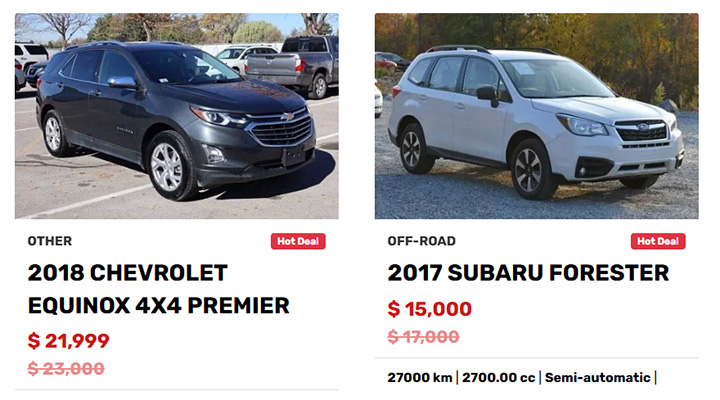
Featured cars & hot deals
Highlight selected vehicles and special offers directly on your website to attract more attention to your best stock. Promote top listings, seasonal deals, or urgent sales opportunities in a clear and engaging way. This helps you guide visitors towards priority vehicles and increase lead generation.
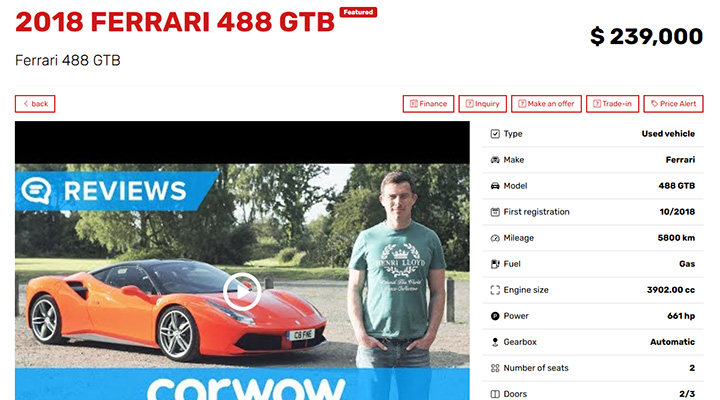
Vehicle details
Create rich and informative vehicle listings with detailed specifications, descriptions, features, equipment, photos, and SEO settings. Each vehicle page can be customised to present the car professionally and provide buyers with all the information they need.
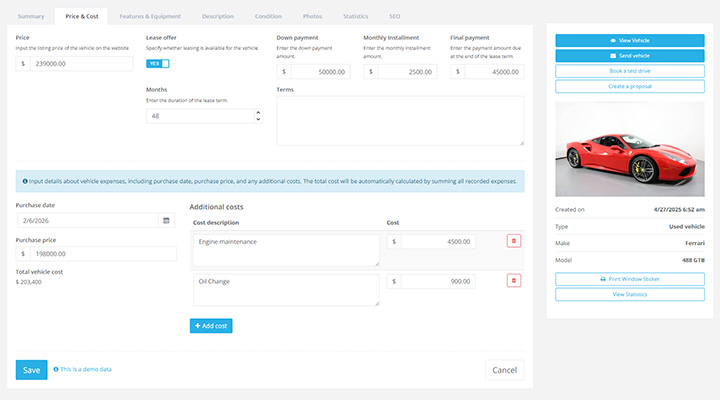
Vehicle price & purchase cost
Set the vehicle listing price, record purchase cost, and add additional acquisition expenses in one place. You can also configure lease offers including down payment, monthly instalments, lease term, and final payment to present flexible purchasing options.
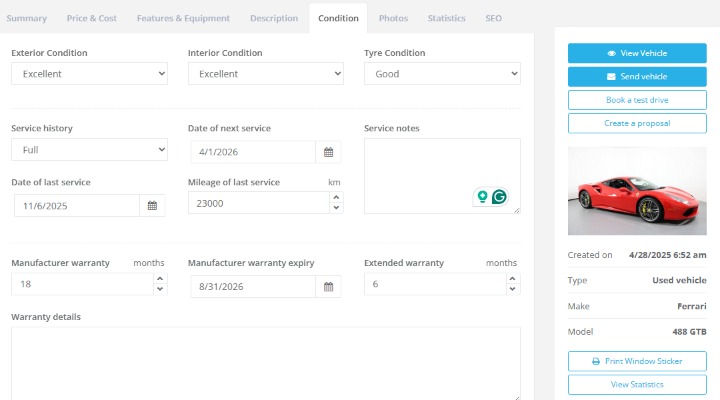
Vehicle condition
Store detailed condition and service information for every vehicle including exterior and interior condition, tyre condition, service history, warranty details, and service notes. This helps your sales team present vehicles transparently and answer buyer questions faster.
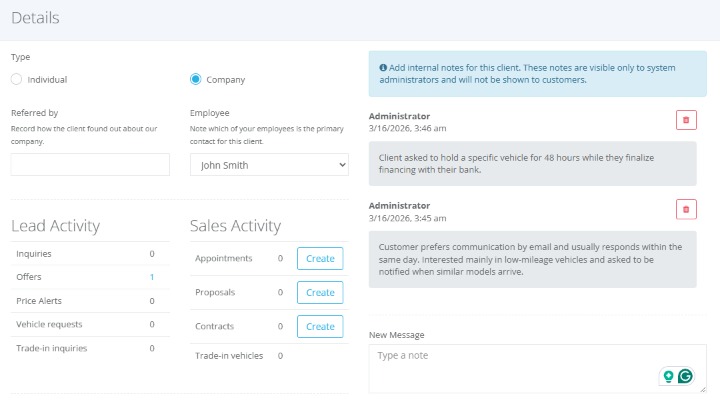
Client Accounts
Maintain a structured client database with contact information, communication history, and related sales activity. Client accounts make it easier to manage leads, appointments, proposals, and contracts while building long-term relationships with customers.
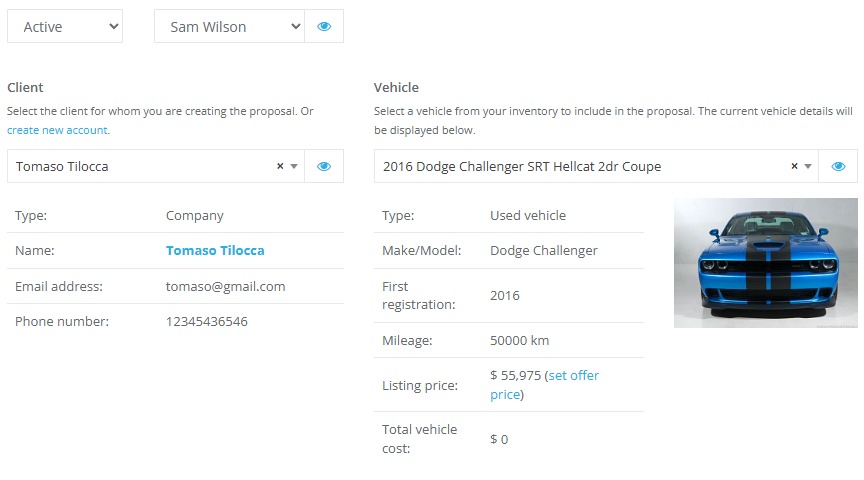
Proposals
Create professional offers for potential buyers based on selected vehicles, negotiated prices, trade-in values, and additional services. Proposals can be reviewed, updated, and later converted into formal sales contracts when the deal is confirmed.
Sales Contracts
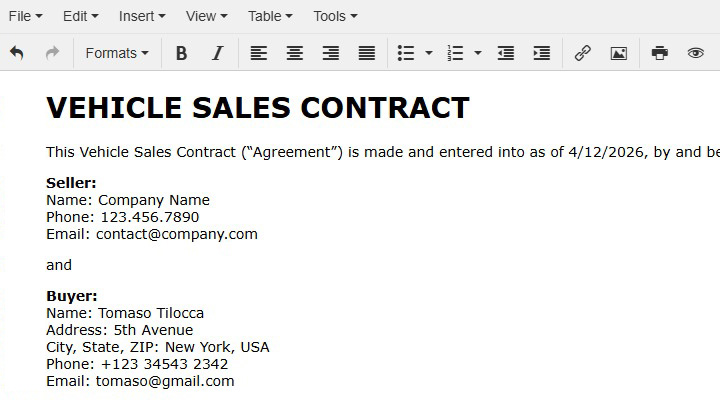
Generate and manage sales contracts with all important transaction details including vehicle information, agreed price, deposit, reservation date, and delivery method. This keeps every sale organised and easy to track from agreement to vehicle handover.
Invoices and Payments
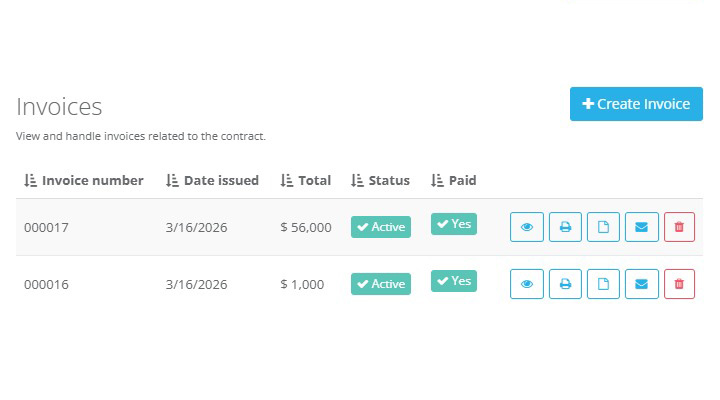
Create invoices connected to vehicle sales and manage payment records directly within the system. By linking invoices to contracts, you gain a clear overview of paid and outstanding amounts for every transaction.
Leads
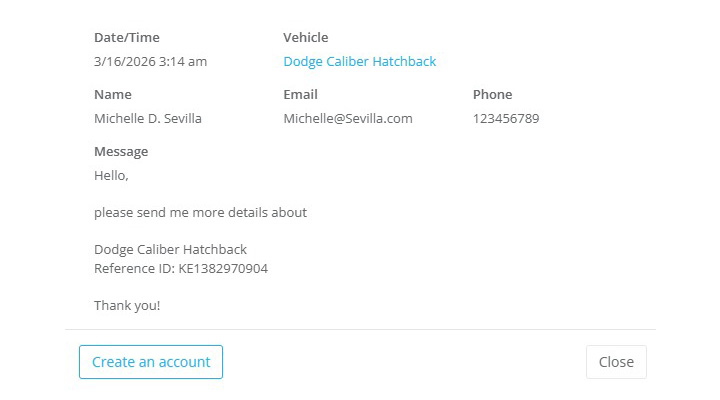
Capture and manage vehicle inquiries, offers submitted by clients, and price alert requests in one place. The system helps your team quickly respond to interested buyers and convert website activity into organised sales opportunities.
Vehicle requests
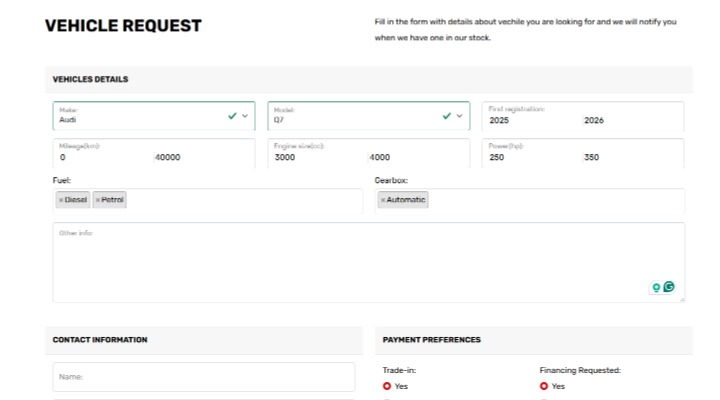
Allow website visitors to submit requests for vehicles they are searching for even if they are not currently available in your inventory. This helps you understand customer demand and contact buyers once matching vehicles become available.
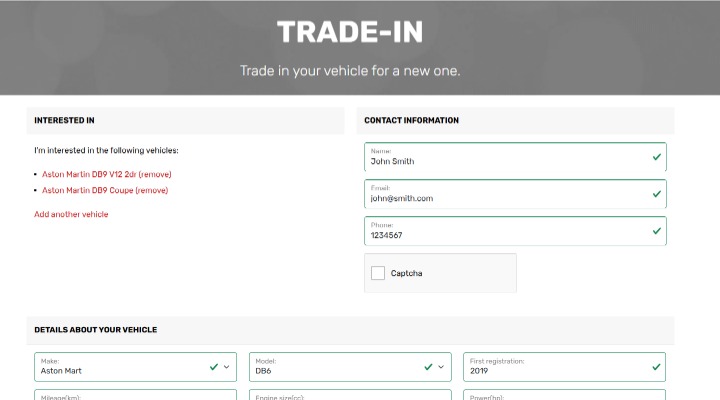
Trade-in requests
Collect and manage trade-in inquiries from customers who want to exchange their current vehicle as part of a purchase. Trade-in details can later be included in proposals and sales contracts.
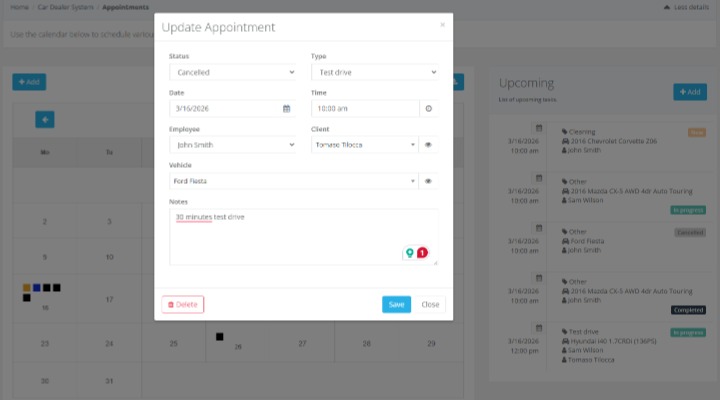
Appointments
Schedule and manage dealership activities such as test drives, consultations, vehicle viewings, repairs, and other tasks using a built-in calendar. This helps your team organise daily operations and deliver a smoother customer experience.
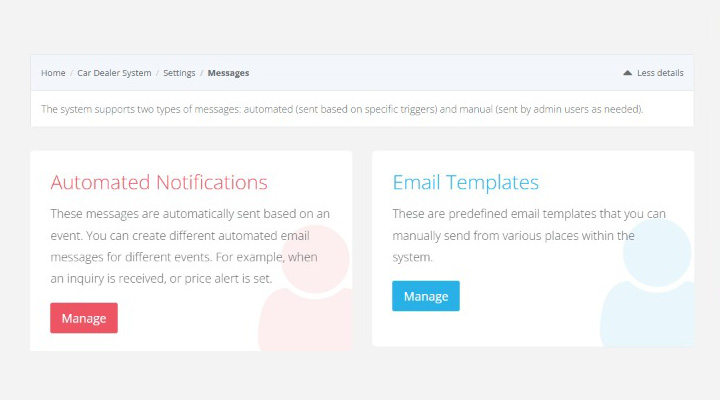
Automated notifications
Send automatic notifications to inform clients and staff about important events such as new inquiries, appointment confirmations, proposal updates, or contract progress. Automated communication improves response time and reduces missed follow-ups.
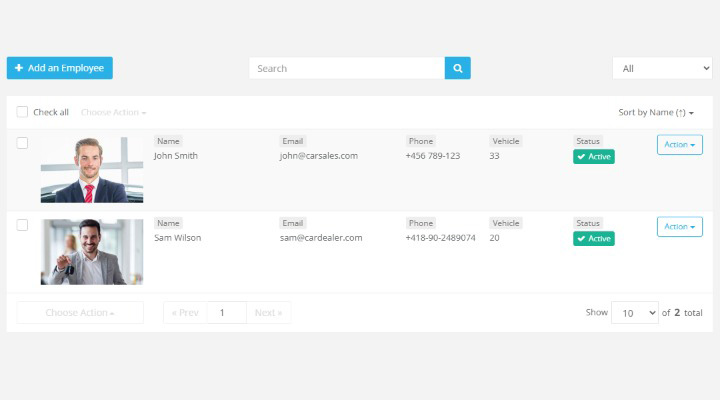
Sales managers
Assign vehicles, leads, proposals, contracts, and appointments to specific sales managers. This keeps responsibilities clear within your team and allows clients to communicate with the right representative.
PDF brochures & Window stickers
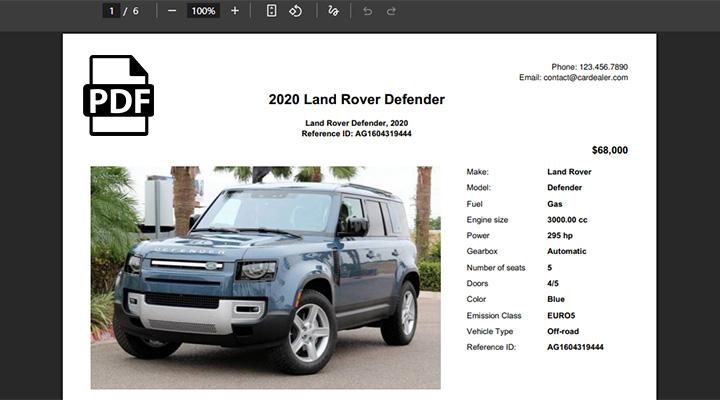
Generate printable PDF brochures and window stickers for your vehicles directly from the system. These materials help present key vehicle information clearly both online and at your showroom.
Integrations
Connect your car dealer software with external tools and services to streamline workflows, data exchange, and marketing distribution. Integrations allow the platform to work seamlessly with other systems your dealership uses. Learn more
Why dealers choose VEVS
No coding required to launch and manage your dealership. Get a complete solution with a built-in website and software, enjoy an easy setup process, and receive personalized onboarding with a real expert over Google Meet.